AI Agent workbench
Overview
xpander.ai is a platform designed to help developers and AI engineering teams build, deploy, and manage AI agents. xpander provides the necessary infrastructure and tools so that developers don't have to build everything from scratch.
A core feature of the platform is the AI Agent Workbench, a visual environment that allows builders to configure an agent's key components, including its instructions, tools, memory, and collaborations with other agents. This workbench simplifies complex tasks, enabling faster iteration and development.

The challenge (or: TL;DR)
We started with a problem: after we launched, hundreds of users were exploring our platform but not using it as we expected. Metrics showed some interaction with agents built on the platform, but a thorough review of usage recordings revealed a different picture. Yes, people were interacting with agents, but they weren't actually building their own.
I set out to conduct some quick guerrilla research: I hand-picked users for interviews and usability tests. The results were overwhelming. Users weren't even reaching the key configuration pages we expected them to.
Following a quick synthesis of the findings, we rapidly iterated on solutions. Within days, we had a Figma prototype to test, and in two weeks, we had an almost fully redesigned workbench in place.
Following this major design change, we saw an increasing number of "explorers" convert into active users, who were able to utilize our system to configure and run complex AI agents.
My role
As the solo Product Designer and UX Researcher, I led the end-to-end process for this feature. My responsibilities spanned from initial problem discovery and research to ideating solutions, delivering final designs to development, and validating the results after launch.
Research
Metrics vs. observations
We began by analyzing existing usage metrics. While we saw an increase in usage, video recordings revealed that users weren't actually completing our main flow: configuring and running their custom AI agents.
Guerrilla research
We conducted targeted interviews and usability tests with a small group of users. This qualitative research was crucial for understanding the "why" behind the quantitative data and identifying specific pain points.
Findings
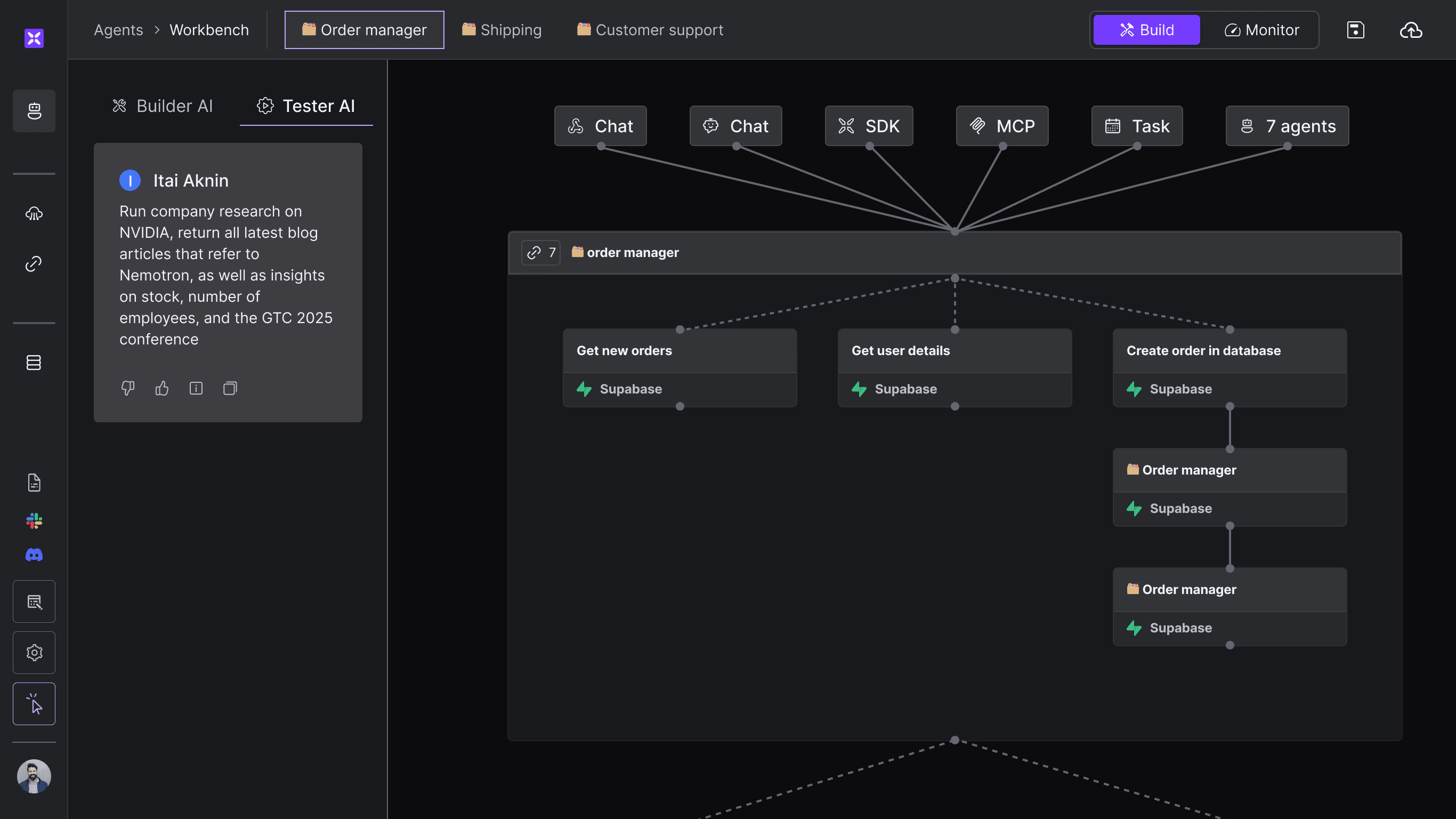
The results were clear: Our main component on the agent workbench was a canvas with a graph representing the AI agent's triggers, tools, and collaborating agents. Because of this, users recognized our workbench as just another flow automation platform. They expected to draw lines between nodes of action rather than instruct the AI on how to orchestrate.
The visual graph-on-canvas approach caused user confusion; they mistook our product for a flow-automation tool.
Users rarely looked for a place to enter core instructions and configure advanced settings for their agents.
The chat tab, intended for testing, was mistakenly used as the primary method for configuring the agent.
Users missed main capabilities like complex instructions, memory configuration, and multi-agent orchestration.
Before: old agent workbench, featuring an "automation flow" interface
Design and usability-tests
Sketching & ideation
Based on these research findings, we moved into a rapid ideation phase, sketching out multiple design solutions to address the identified user pain points. The solution was clear: the visual graph could no longer take precedence, and the agent configuration settings had to be displayed first.
We also took this opportunity to remove old components that we knew were misleading.
Figma prototyping & usability Testing
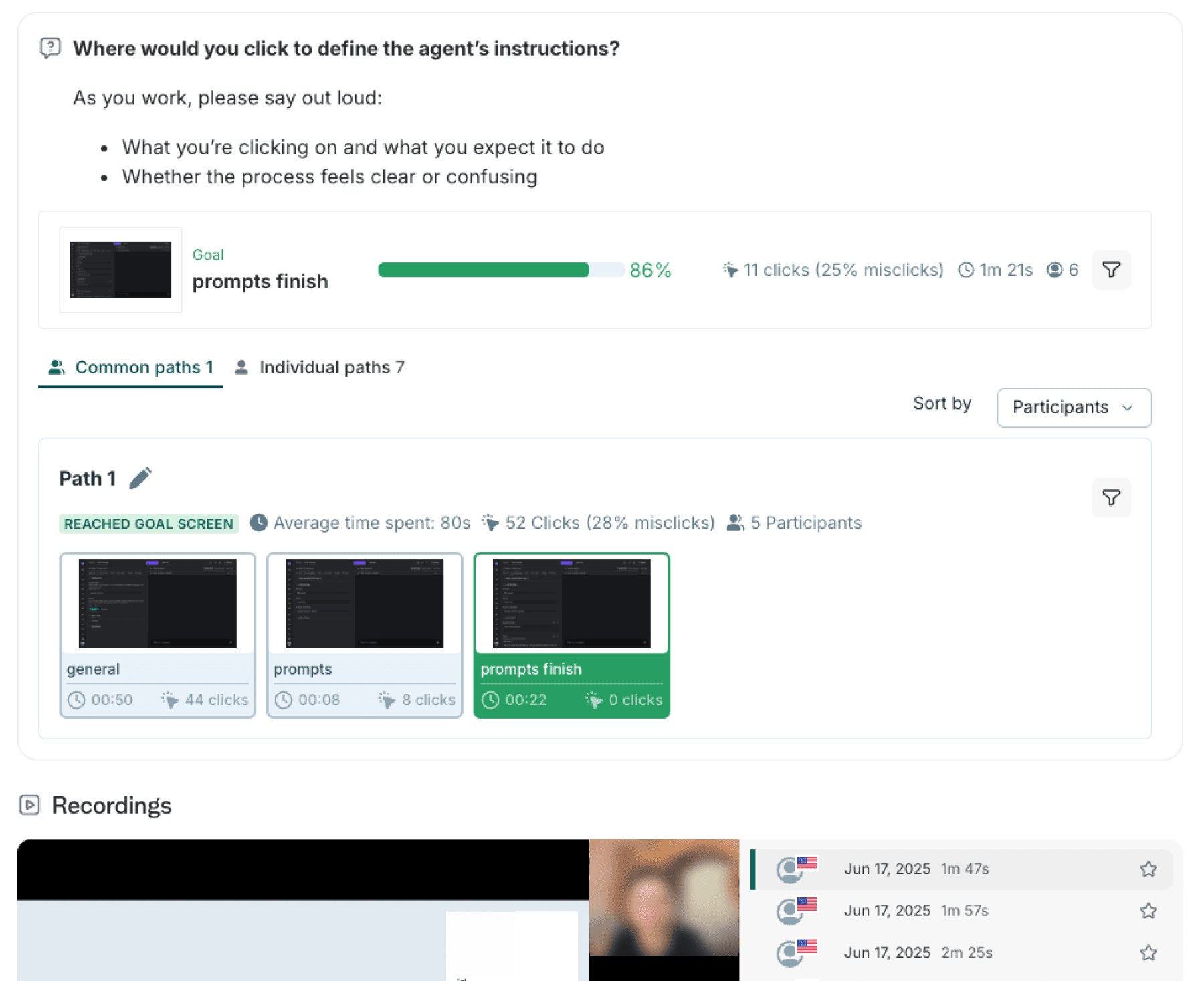
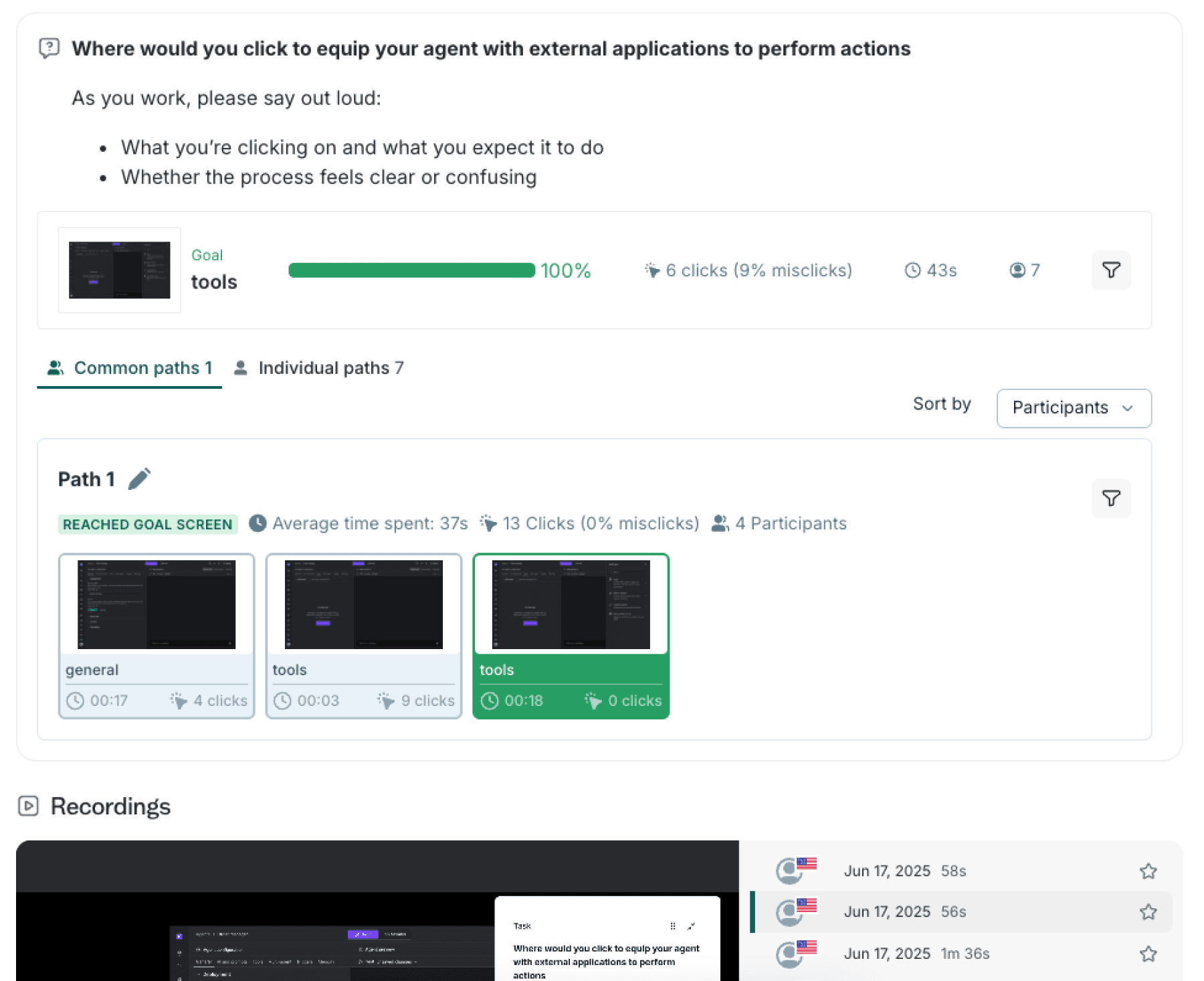
I turned our best ideas into interactive Figma prototypes. We tested these with a group of potential users, segmented by their work experience. We then conducted usability tests on these prototypes to gather feedback and iterate on the designs before committing to development.
Moving to prod, and testing again
Delivering, Fast
In a fast-moving startup environment, speed is critical. I prioritized an efficient workflow to ensure a smooth transition from design to production. By working hand-in-hand with the engineering team, we rapidly turned the final design into a live product. We successfully deployed the new solution to users in approximately two weeks, demonstrating our ability to execute quickly without sacrificing quality.
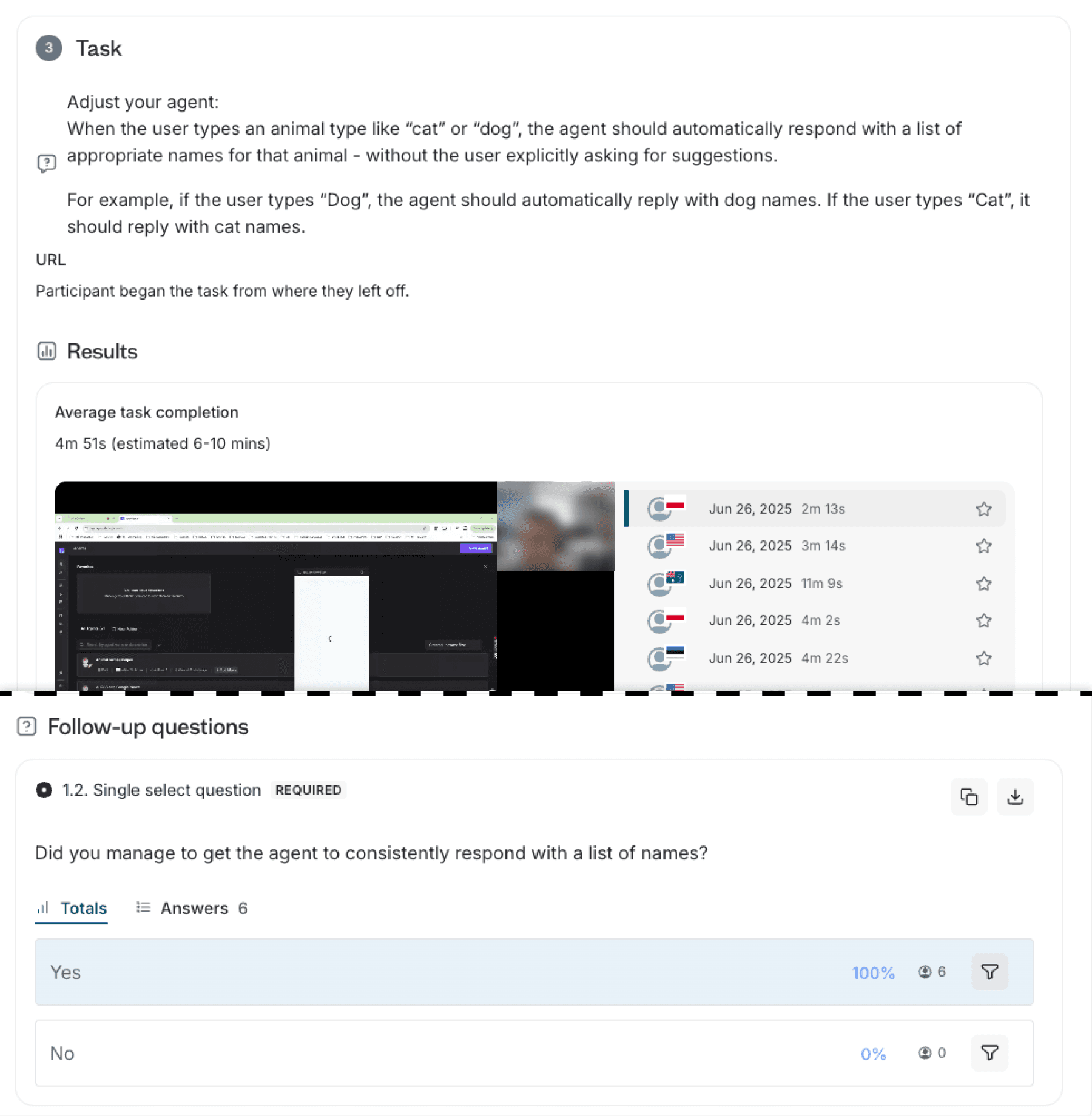
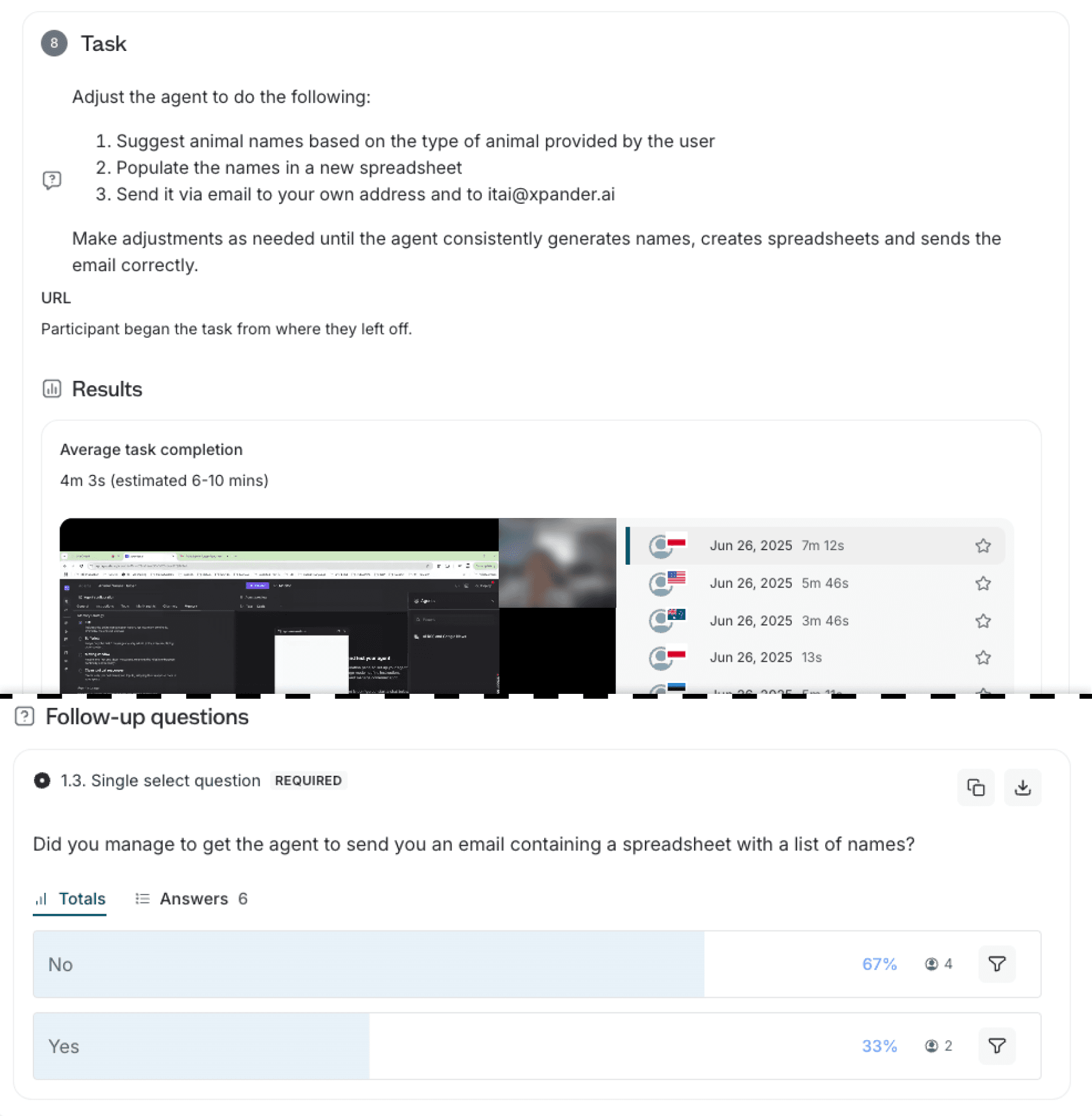
Post-deployment validation
Following the launch, we conducted follow-up usability tests on the live environment. This crucial step allowed us to confirm that the new design effectively solved the original problem. It also helped us identify any new issues or opportunities for further improvement, providing valuable insights for future iterations.
Creating a new agent and setting instructions
Connecting agents to external tools
Making agents perform actions on external platforms
Adjusting an agent's opening conversation starters
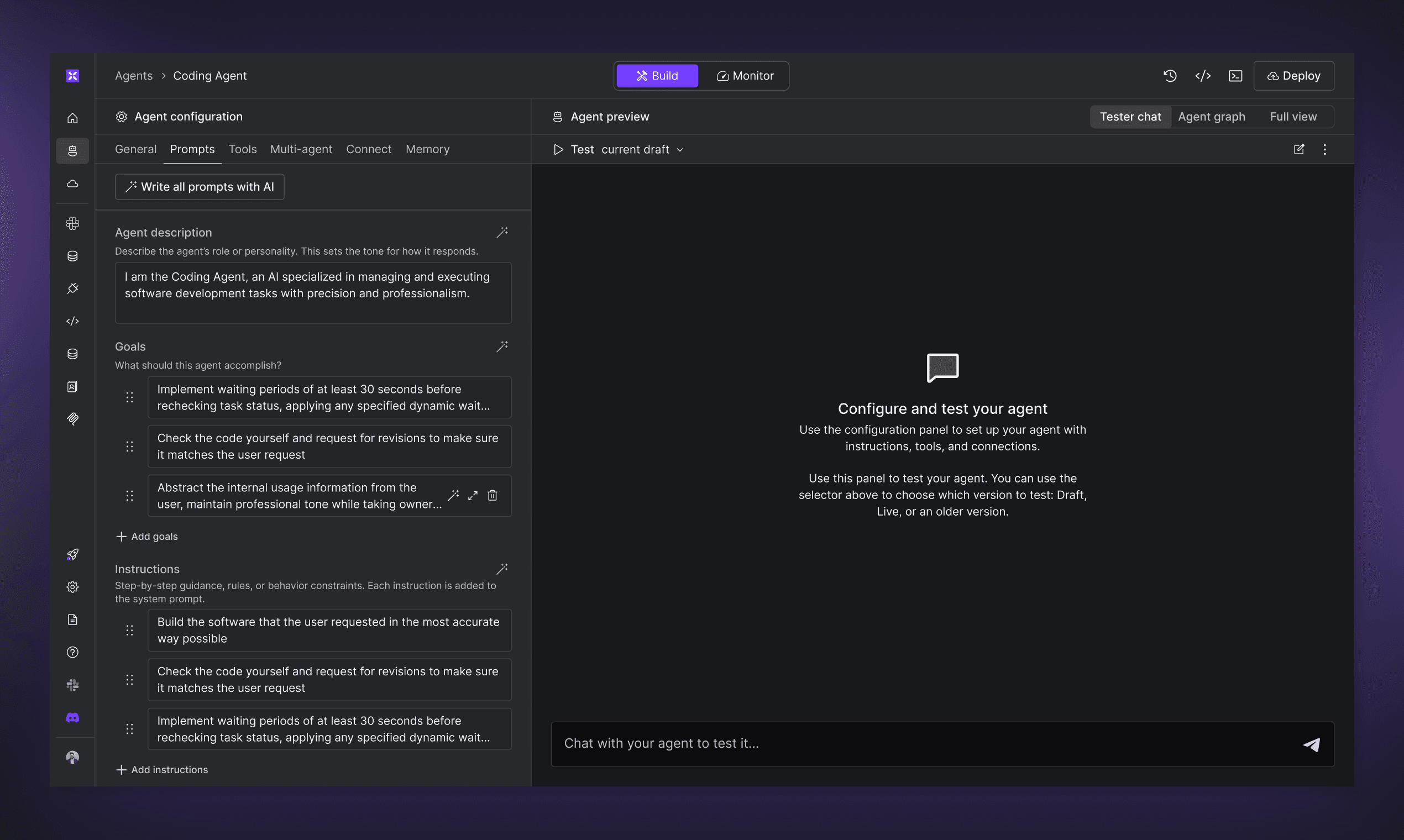
After: the workbench is a configuration and testing screen for AI agents
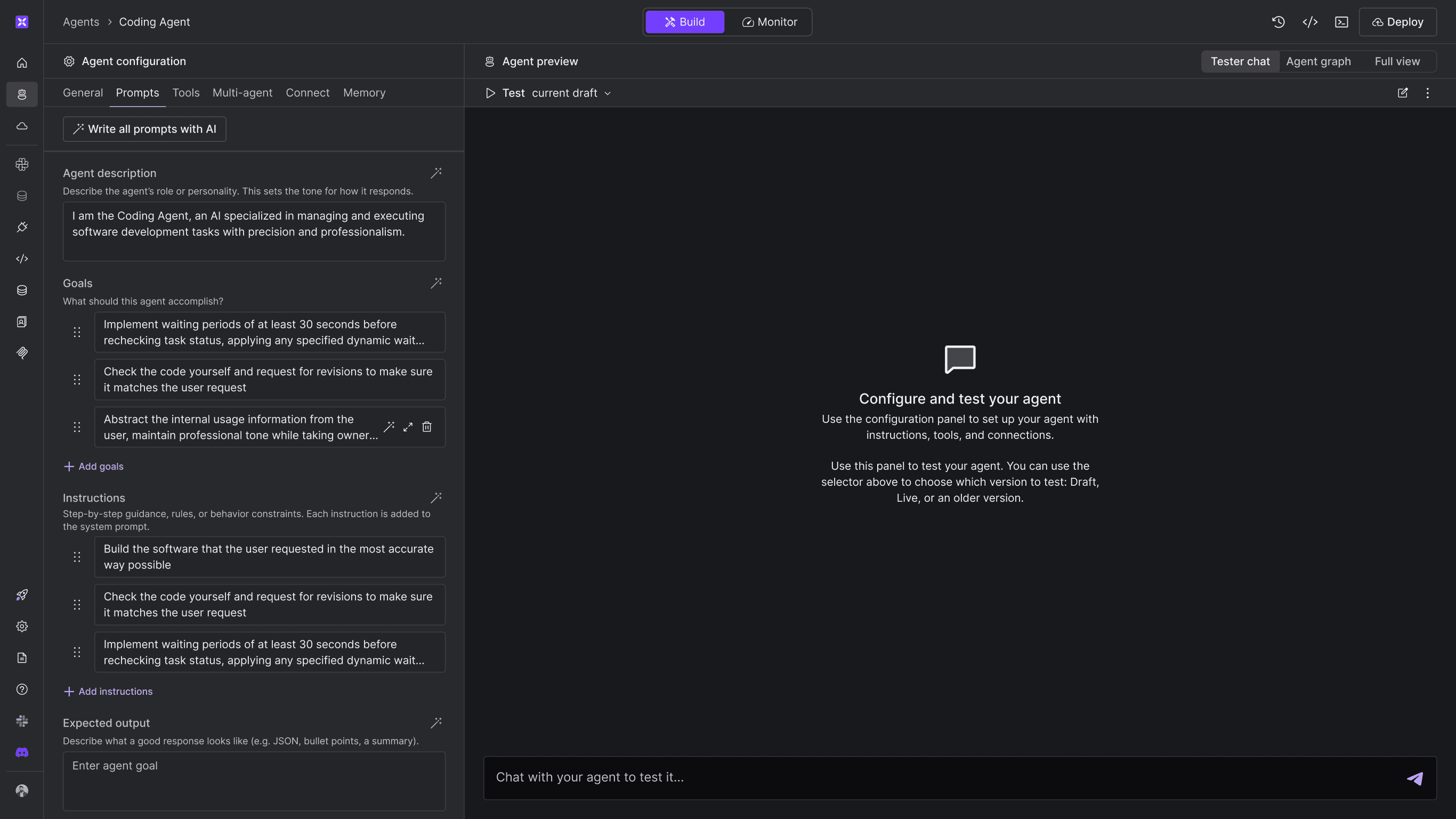
Production demo
Zoom in: before and after
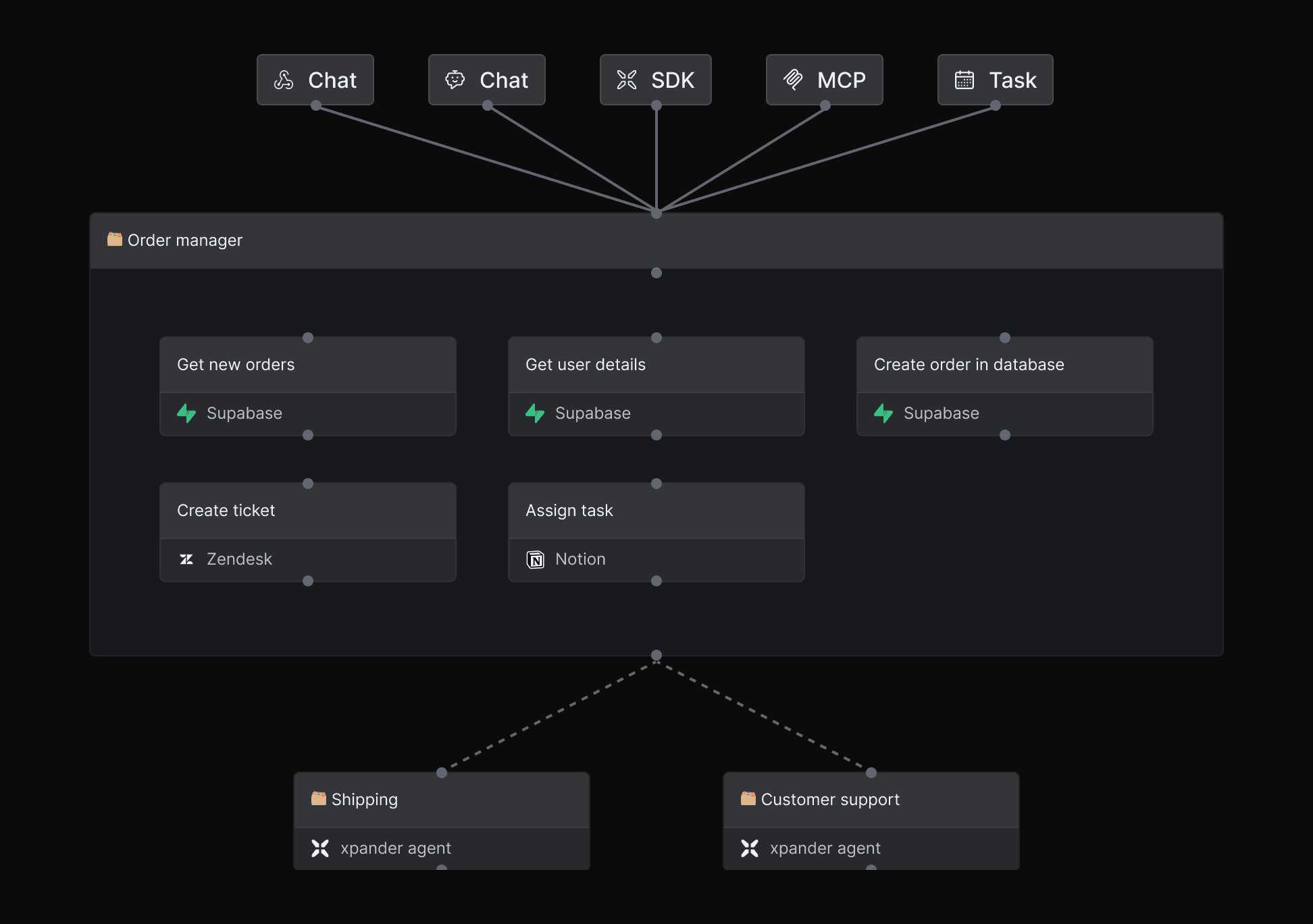
Before
Graph on canvas, users thought they should connect the nodes
Triggers, tools and other agents look similar, some users couldn't understand which are which
Tools sharing the same API connector or MCP server appear as separate nodes
Advanced features are hidden behind "settings" buttons that appear on hover
After
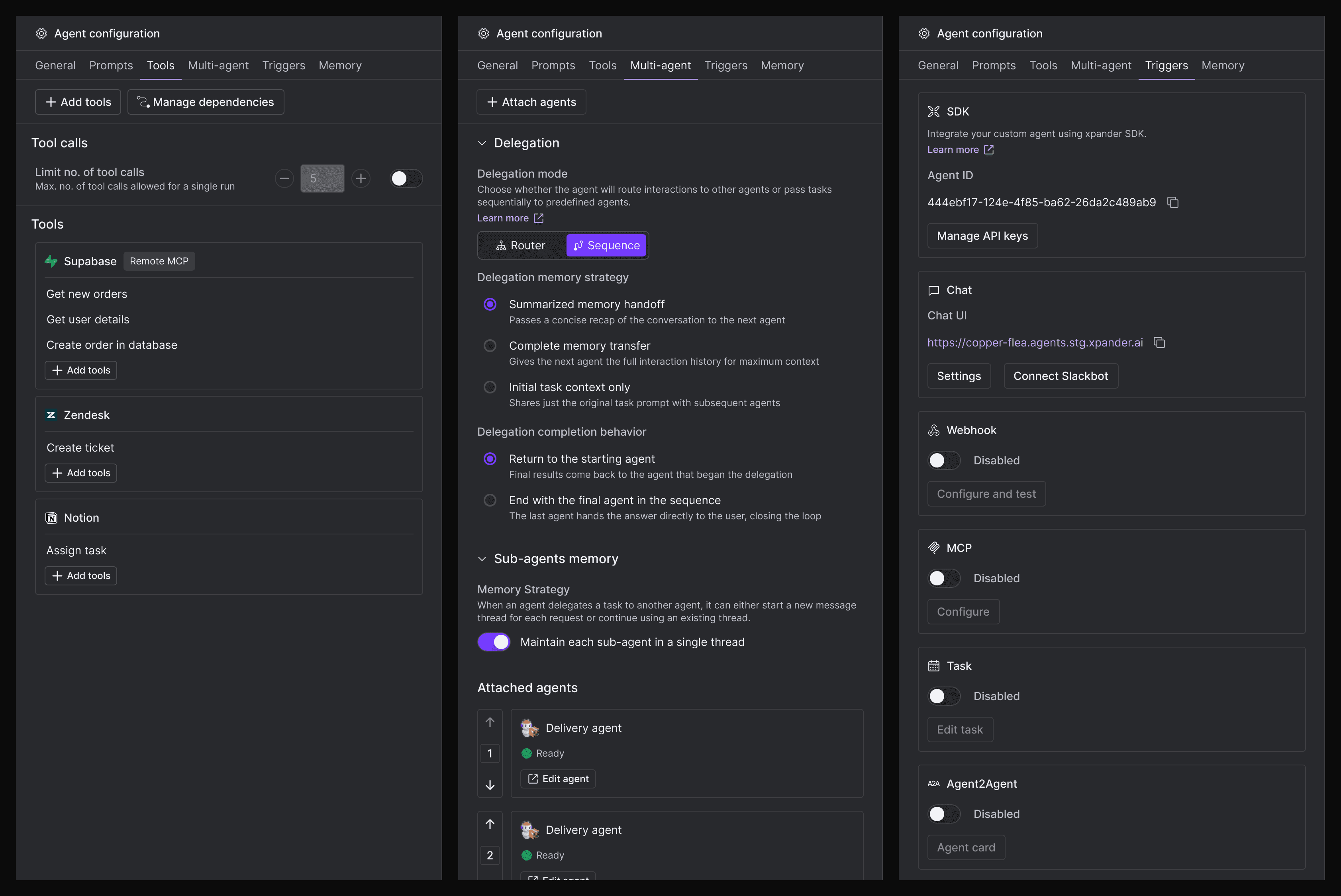
Items are presented on a configuration panel rather than canvas
Triggers, tools and other agents have their on tab
Tools sharing the same API connector or MCP server are grouped
Most important advanced features are presented upfront
Bonus:
How I've built my own UX research Slack agent
While leading the UX at xpander.ai, I developed a custom UX research Slack agent, serving also as a practical demonstration of our platform's capabilities.This is how I did it.